iPhone · iPad · Mac · in preparation
EngraveKit
Photo to Laser: dither, vector and relief for engraving
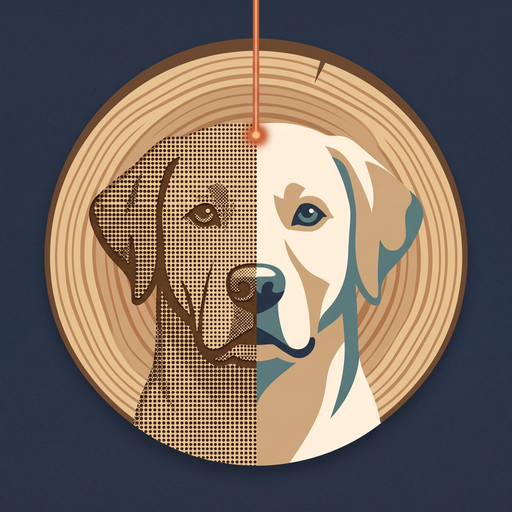
EngraveKit turns a photo into an engraving-ready file in one pass. Import, cut out the subject, set the size of the workpiece in millimetres and the material, then export a 1-bit PNG with DPI, an SVG in millimetres or a 16-bit relief. The image work happens on your device.
iPhone and iPad with iOS or iPadOS 18 or later, Mac with Apple silicon and macOS 15 or later. One purchase covers all three devices.
In preparation. The App Store link will appear here once EngraveKit is live.
Why EngraveKit?
Three core arguments
One pass, one file
Import a photo, cut out the subject, set the workpiece and export. Every step in between is optional, and the preview always shows the target size and DPI.
Sized for the workpiece
Enter width or height in millimetres and pick a material. The file comes out at the right size and resolution for your laser software.
On your device
Cut-out, depth estimation, dithering, tracing and export run locally. A photo only leaves your device if you choose an AI style and agree to it first.
Features
What’s inside
Import and cut out
Open a photo and lift the subject with Apple Vision, on-device. Everything around the subject turns white.
Optional AI styles
Line Art, Woodcut, Pet Portrait Sketch and High-Contrast Portrait turn a photo into an engraving-ready drawing. 1 credit at 1K, 2 credits at 2K.
Workpiece in millimetres
Set width or height with the aspect ratio locked. The preview shows the result at the target size and DPI.
Material presets
Wood, slate, acrylic, leather and anodised aluminium set DPI, tone, dithering method and inversion as starting points. The acrylic preset mirrors the image for engraving from the back.
Seven dithering methods
Floyd-Steinberg, Jarvis, Stucki, Atkinson, Sierra, Bayer and threshold, exported as a 1-bit PNG with the DPI written into the file.
Vector output
A built-in tracer turns the image into an SVG in millimetres, ready for engraving or cutting.
Relief for depth engraving
Depth Anything V2 Small estimates depth on-device and writes a 16-bit grayscale PNG with DPI.
iPhone, iPad and Mac
One app for all three. On iPhone, send the finished file to your workshop computer via AirDrop or the share sheet.
Price
Free to download. No subscription.
The free version cuts out the subject, dithers with threshold or Floyd-Steinberg and exports PNG files in full quality. Pro unlocks all dithering methods, the material presets, the fine controls, SVG and relief export and batch export, as a one-time purchase of €14.99.
Credits are only needed for the AI styles. The download includes 5 credits to try them. More are available as 25 credits for €5.99 or 100 credits for €19.99. Credits do not expire.
Privacy
Your photos stay on your device
Everything except the AI styles runs locally. The app creates an anonymous account for your credits, with no name, no email and no login. Before a photo is sent for an AI style, the app asks for your consent. No analytics, no tracking, no ads. Full details in the dedicated EngraveKit privacy policy.
Questions? Get in touch